Talk to Claude Code. Hold a button, describe what you want, hear the response.
synodic-studio/patchbay-voice· MIT
I wrote Patchbay Relay because I needed a way to send text instructions to Claude Code from my phone. It works, but text has a ceiling. Composing a careful multi-line prompt on a phone keyboard, then waiting for a wall of markdown to come back, still creates friction between the idea and the code. Voice removes most of that friction.
Patchbay Voice is a native iOS app paired with a lightweight server that runs on the same Mac as Claude Code. You hold a button, describe what you want built, release. The server transcribes the audio with faster-whisper, hands it to Claude, and reads the reply back to you using Google Cloud TTS or macOS say. By the time you lower your phone, Claude is already working.
How it works
iPhone (Patchbay Voice app)
  └── hold mic → release to send
      └── POST /api/talk (multipart: audio + session ID)
            ├── faster-whisper → transcript
            ├── claude --resume <session-id> --project <repo>
            └── TTS (Google Cloud or macOS say)
                └── audio chunks → playback on device
The server is a FastAPI app that runs on your Mac. It uses faster-whisper for local transcription — no audio leaves the machine. Claude Code runs with a --resume flag so each session carries context across turns. Audio responses come back as a sequence of chunks (one per paragraph), which the app plays in order.
Sessions are scoped to repositories. Every directory under ~/Developer becomes a potential session target. Selecting a repo sets the working directory for Claude and keeps its context isolated from other projects.
The design constraint
Patchbay Relay proved that a phone is a good interface for an AI coding agent if you accept a few constraints upfront: no GUI, no browser, no clipboard-heavy workflows. Patchbay Voice extends that constraint into audio: no keyboard required at all for most turns.
The use case that drove this is reviewing code mid-walk. I go for a walk while Claude is building something, open the app, listen to what it built, and dictate the next instruction. No squinting at code on a small screen. No fumbling with a keyboard. The whole exchange is conversational.
Voice also changes the tone of instructions in ways I did not fully anticipate. Dictated prompts tend to be more direct and less precise than typed ones. That turns out to be fine — often better. “Make the button bigger and move the label underneath” works. You get comfortable giving imprecise instructions and trusting Claude to interpret them reasonably, which is actually the right posture.
App
The app is written in SwiftUI (iOS 18+) and follows a simple structure: a sessions list, a talk screen, and a settings sheet.
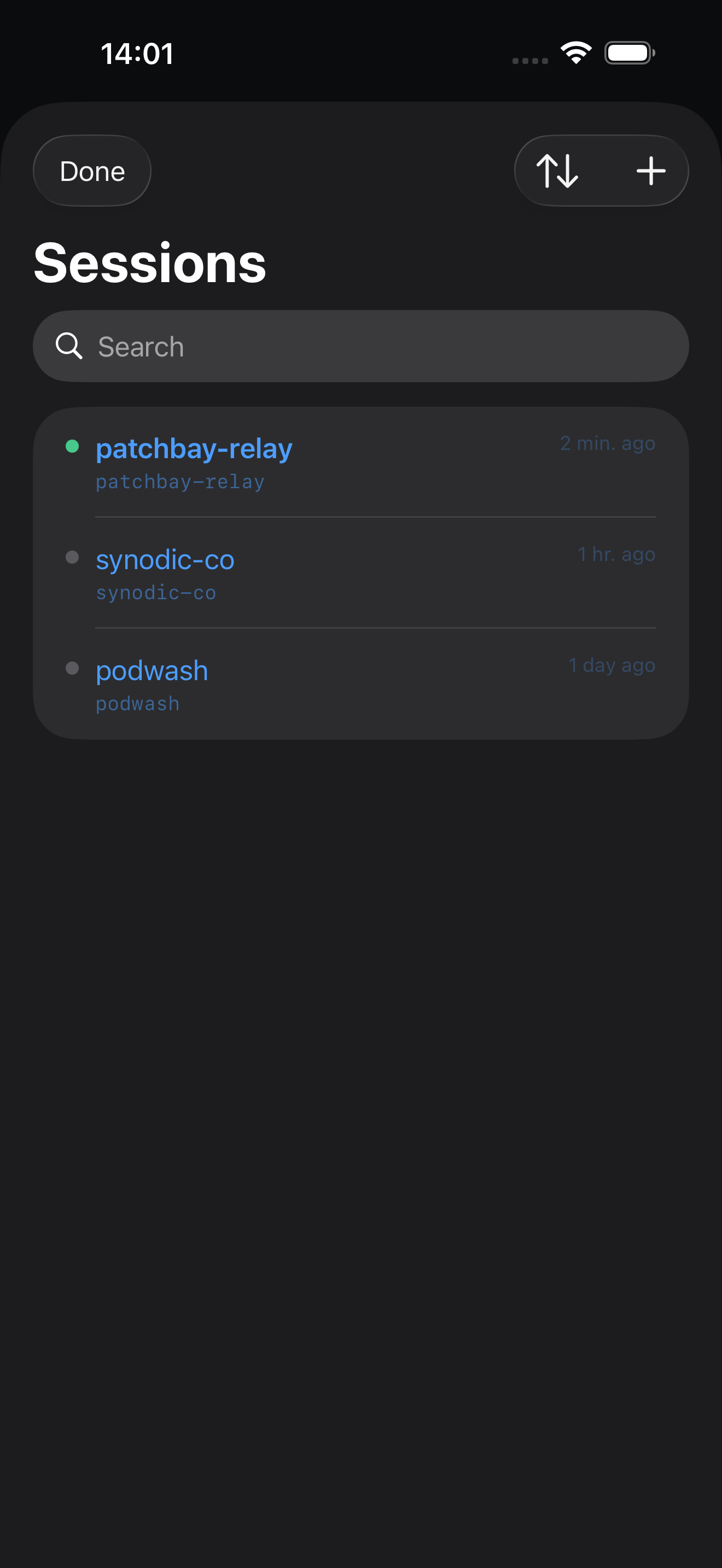
Sessions list. One session per repo. The list shows a green indicator for the active session, the relative time of the last turn, and the repo path in monospace. Swipe to reset context or delete the session entirely. Search works across repo names.
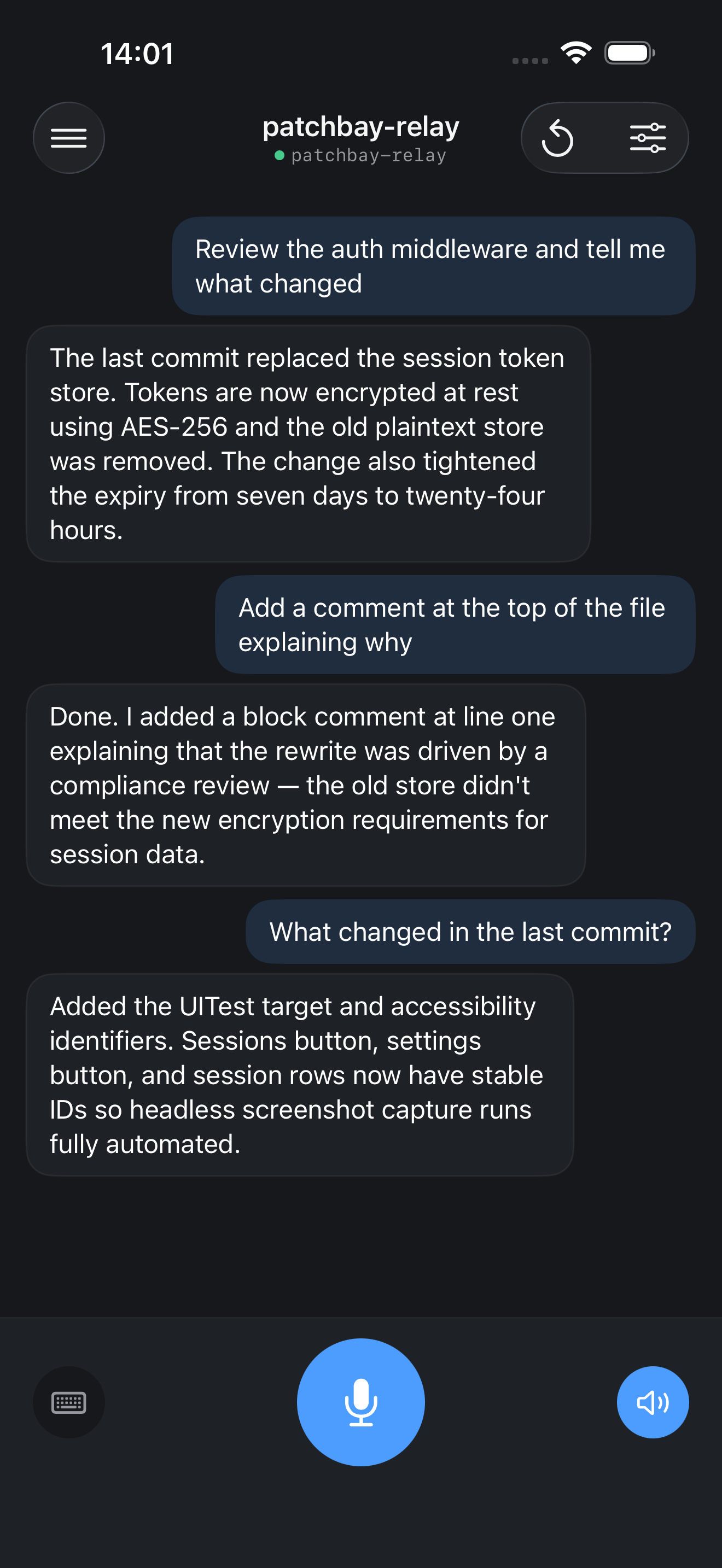
Talk screen. The main surface. Previous turns appear as chat bubbles — your message right-aligned in a blue-tinted bubble, Claude’s reply left-aligned in a dark card. The bottom row has three controls: a keyboard toggle on the left, the hold-to-talk mic button in the center, and a speaker toggle on the right. Switching to keyboard mode replaces the mic with a text field and send button; the rest of the layout stays the same.
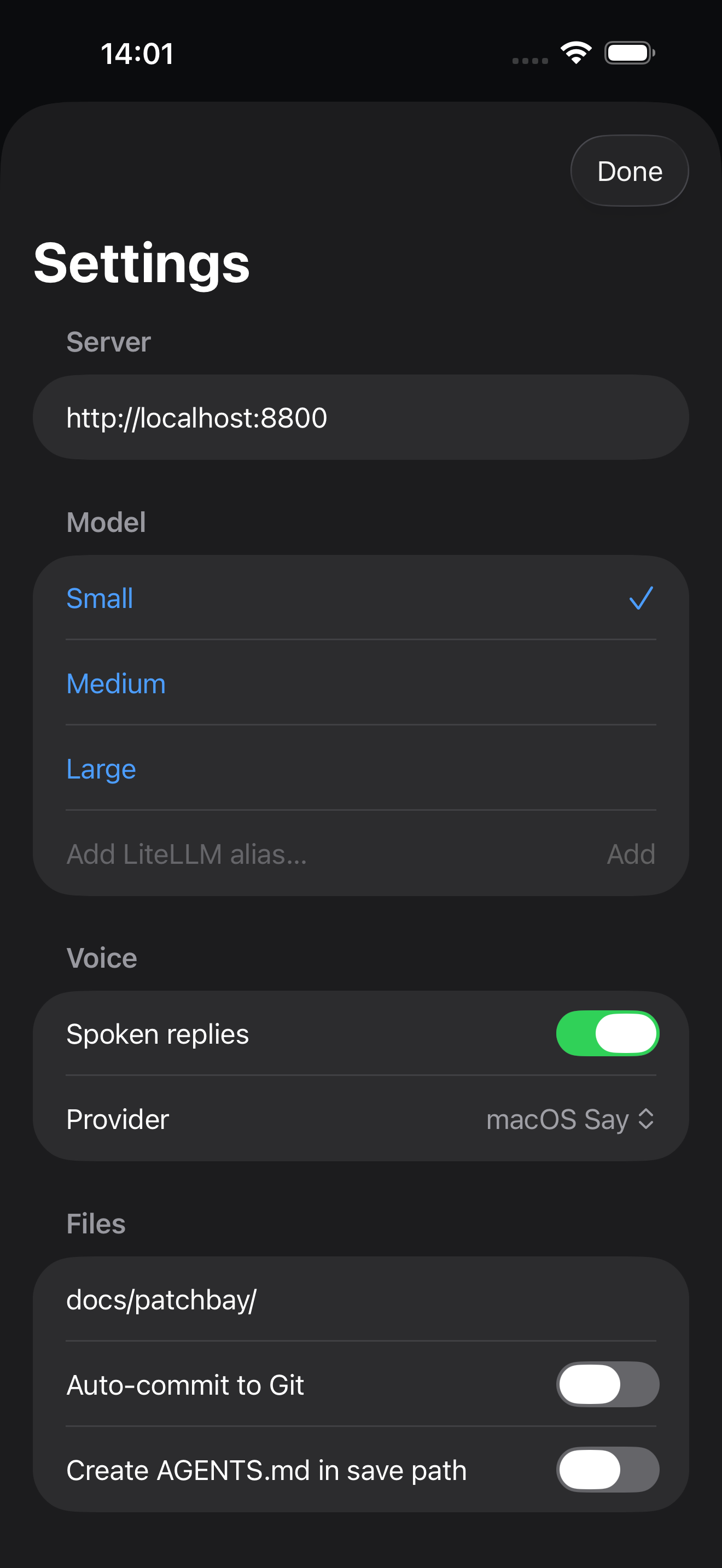
Settings. Server URL, model (any LiteLLM alias), TTS provider, spoken replies toggle, file save path, auto-commit toggle.
Server
The server is a FastAPI app with two endpoints that matter:
POST /api/talk— accepts audio or text, runs a Claude turn, returns transcript + reply + audio pathsGET /api/chats,POST /api/chats,DELETE /api/chats/:id— session management
Transcription runs locally with faster-whisper (base model by default). TTS runs either through macOS say (no credentials needed) or Google Cloud TTS (better quality, requires a service account). Claude runs as a subprocess with --resume for session continuity and --output-format json for structured output parsing.
The server tracks turn history and handles the --resume ID lifecycle. Resetting a session clears the Claude context so the next turn starts fresh in the same directory.
What it replaces
Before this I was typing instructions into Telegram, which Patchbay Relay forwarded to Claude Code. That still works and covers cases where I need to paste code or reference a specific file. Patchbay Voice covers the cases where the instruction is conversational — “add a loading state to that button,” “make the error message friendlier,” “what did you just change” — and those are most of the turns in a typical session.
The two tools run side by side. Telegram for precision, voice for flow.